

Visual fatigue is primarily caused by prolonged screen use, reduced blinking, poor lighting conditions, and sustained near-focus work.
The most effective ways to reduce it are environmental sensory adjustments, regular visual breaks, proper ergonomics, and light management, not gimmicks or quick fixes.
Research shows roughly 60–70% of digital device users experience eye strain symptoms, with prevalence ranging widely from 25% up to over 90% depending on exposure and population, according to PubMed.
Why Visual Fatigue Happens Today

Modern visual fatigue differs from traditional eye strain because screens dominate daily life. Office workers often spend eight or more hours focusing at a fixed distance, while students combine digital study, social media, and entertainment screens.
This constant near-vision demand keeps eye muscles contracted for long periods, reducing blinking frequency and increasing tear evaporation.
The result is dryness, blurred vision, headaches, reduced focus, and sometimes sleep disruption due to light exposure patterns.
Lighting conditions also matter significantly. Harsh overhead lights, reflections from windows, and excessive screen brightness force the eyes to continuously adapt.
The brain interprets this constant adjustment as fatigue, which is why visual discomfort often appears alongside mental tiredness.
Environmental sensory load plays a major role as well. Temperature, humidity, posture, visual clutter, and even background noise influence how hard the visual system must work.
This explains why simple sensory adjustments often produce better results than specialized glasses or eye exercises alone.
Core Sensory Hacks That Reduce Visual Fatigue
Sensory Factor
Mechanism
Proven Benefit
Visual breaks
Relax eye focusing muscles
Reduced headaches and dryness
Ambient lighting control
Decreases glare and contrast strain
Improved comfort
Blink awareness
Restores tear film stability
Less irritation
Ergonomic positioning
Reduces muscular strain feedback
Lower fatigue
Screen contrast adjustment
Improves readability
Less squinting
Humidity control
Prevents tear evaporation
Reduced dry eye
Blue light timing control
Supports circadian rhythm
Better sleep
Visual clutter reduction
Lowers cognitive load
Improved focus
Posture correction
Stabilizes gaze
Fewer tension headaches
Scheduled digital breaks
Restores sensory balance
Sustained productivity
1. Regular Visual Reset Breaks
Short but frequent visual breaks are one of the most consistently supported interventions. The commonly recommended 20-20-20 approach, where you look away from your screen every twenty minutes toward a distant object for about twenty seconds, allows eye muscles responsible for focusing to relax.
Without these breaks, the accommodative system remains under constant tension, contributing to headaches and blurred vision.
Studies indicate that even brief periodic visual disengagement reduces subjective eye discomfort within weeks. The benefit comes not only from muscular relaxation but also from restoring normal blinking patterns, which improve tear film quality and reduce dryness.
This strategy is especially important for people working in fixed-distance environments such as programming, design, or data analysis, where gaze rarely shifts naturally.
2. Ambient Lighting Optimization
Lighting plays a larger role than most people realize. Excessive contrast between screen brightness and room lighting forces continuous pupil adjustment.
Likewise, reflections and glare increase visual noise, making reading and focus harder.
Soft, diffused lighting that matches screen brightness reduces this stress significantly. Positioning screens perpendicular to windows rather than directly facing or backing them minimizes reflections.
Warmer evening lighting can also support circadian rhythms, indirectly improving visual comfort.
Proper lighting design is considered a primary preventive factor in occupational eye health.
3. Conscious Blinking and Tear Stability
One of the most overlooked contributors to visual fatigue is reduced blinking. Research shows people blink far less frequently when focusing on digital displays. This accelerates tear evaporation and causes dry eye symptoms.
Training yourself to blink fully and regularly can noticeably reduce irritation. Some people use reminder apps or scheduled pauses. Hydration also affects tear production, making fluid intake indirectly relevant.
Artificial tears may help in dry environments, but behavioral adjustments remain the first-line approach.
4. Screen Position and Ergonomics

Visual fatigue often combines with musculoskeletal strain. When screens are too close, too high, or improperly angled, both eye muscles and neck muscles work harder.
This creates feedback loops where posture influences visual discomfort.
Optimal positioning usually means:
Correct ergonomics reduces both eye strain and associated tension headaches.
5. Reducing Visual Clutter
Modern interfaces bombard users with information: notifications, tabs, ads, and dense text layouts. This increases cognitive load, forcing constant refocusing and attention switching.
Simplified visual environments reduce neurological fatigue. Larger fonts, fewer simultaneous windows, and clear contrast make information processing smoother.
This is particularly important for neurodivergent individuals who may experience sensory overload more intensely.
Visual minimalism improves both comfort and productivity.
Additional Sensory Strategies
View this post on Instagram
Environmental Factors That Support Eye Comfort
Environment Variable
Effect on Eyes
Recommended Adjustment
Air conditioning airflow
Dryness
Avoid direct airflow
Indoor humidity
Tear evaporation
Maintain moderate humidity
Evening blue light exposure
Sleep disruption
Use night mode
Noise and distraction
Cognitive fatigue
Controlled workspace
Desk posture alignment
Neck tension
Ergonomic seating
6. Managing Blue Light Exposure Timing
Blue light exposure late in the evening affects circadian rhythms more consistently than it affects eye strain directly. While specialized glasses remain controversial, reducing late-night screen brightness and using night mode settings can support sleep quality.
Better sleep indirectly reduces visual fatigue the next day, making light timing an important but indirect intervention.
7. Humidity and Airflow Control

Dry indoor environments significantly worsen eye discomfort. Heating systems, air conditioning, and fans accelerate tear evaporation.
Maintaining moderate humidity levels helps stabilize the tear film and reduces irritation.
This factor is particularly important in office environments where climate control is centralized.
8. True Screen Breaks Instead of Passive Screen Switching
Switching from work screens to social media does not provide visual recovery. Genuine breaks require looking away from screens entirely.
Outdoor views, distant objects, or closed-eye relaxation restore sensory balance more effectively.
This distinction matters because many people believe they are taking breaks while still engaging with digital devices.
9. Postural Sensory Feedback
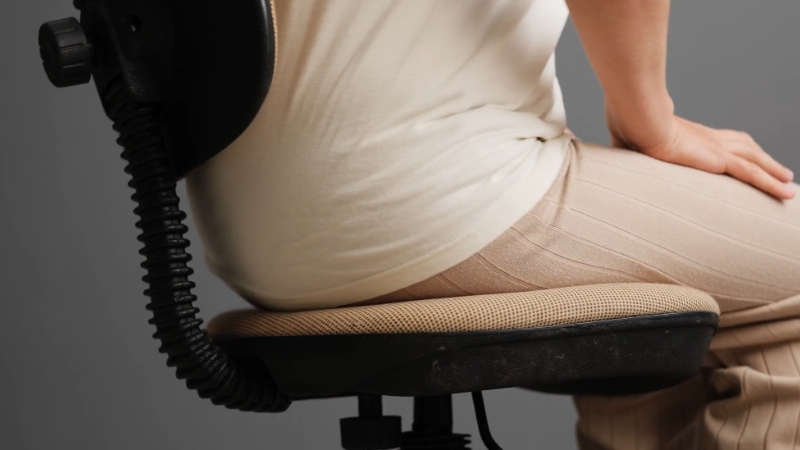
Body posture influences eye comfort more than commonly assumed. Slouching or leaning forward alters visual angles and increases muscular strain around the eyes and neck.
Improved posture stabilizes gaze and reduces tension headaches linked to prolonged screen use.
Ergonomic chairs, proper desk height, and monitor alignment contribute significantly to visual comfort.
10. Strategic Contrast and Accessibility Adjustments
Readable contrast reduces visual effort. Small gray fonts on bright backgrounds force extra focus adjustments.
Accessibility features such as larger text, higher contrast modes, and reduced animation improve comfort substantially.
These adjustments benefit everyone, not only individuals with visual impairments.
What Research Suggests Does Not Help Much Alone
Popular Solution
Evidence Strength
Reality
Blue light glasses
Mixed
Limited direct strain reduction
Eye exercises alone
Weak
Environmental fixes matter more
High brightness screens
Negative
Often increases strain
Frequent scrolling breaks
Minimal
Still visual load
Behavioral and environmental interventions consistently outperform product-based solutions.
Who Experiences Visual Fatigue Most Often
@vickichanmd #stitch with @vickichanmd #eyestrain #eyefatigue #eyedoctor #ophthalmology #dryeyes #tiktokpartner #learnontiktok ♬ original sound – Vicki Chan MD
Heavy screen users remain the highest risk group. Students, remote professionals, gamers, and digital creatives show especially high prevalence.
Contact lens wearers and people with existing dry eye conditions report symptoms earlier.
Visual fatigue has increased globally since remote work and digital education. This trend is expected to continue.
Bottom Line
Visual fatigue is a multisensory issue rather than a simple eye problem. Evidence consistently shows that environmental adjustments, ergonomic positioning, visual breaks, lighting control, and sensory balance reduce symptoms more effectively than quick-fix products.
When these strategies are combined, many people experience substantial relief even without reducing total screen time.